

Start here
What a Smart Speaker Actually Is
Next
How Voice Assistants Understand You
Then
Setting Up Your Smart Speaker for the First Time
Explore
What You Can (and Can't) Ask It to Do
When you're ready
Privacy and the Listening Question
What a Smart Speaker Actually Is
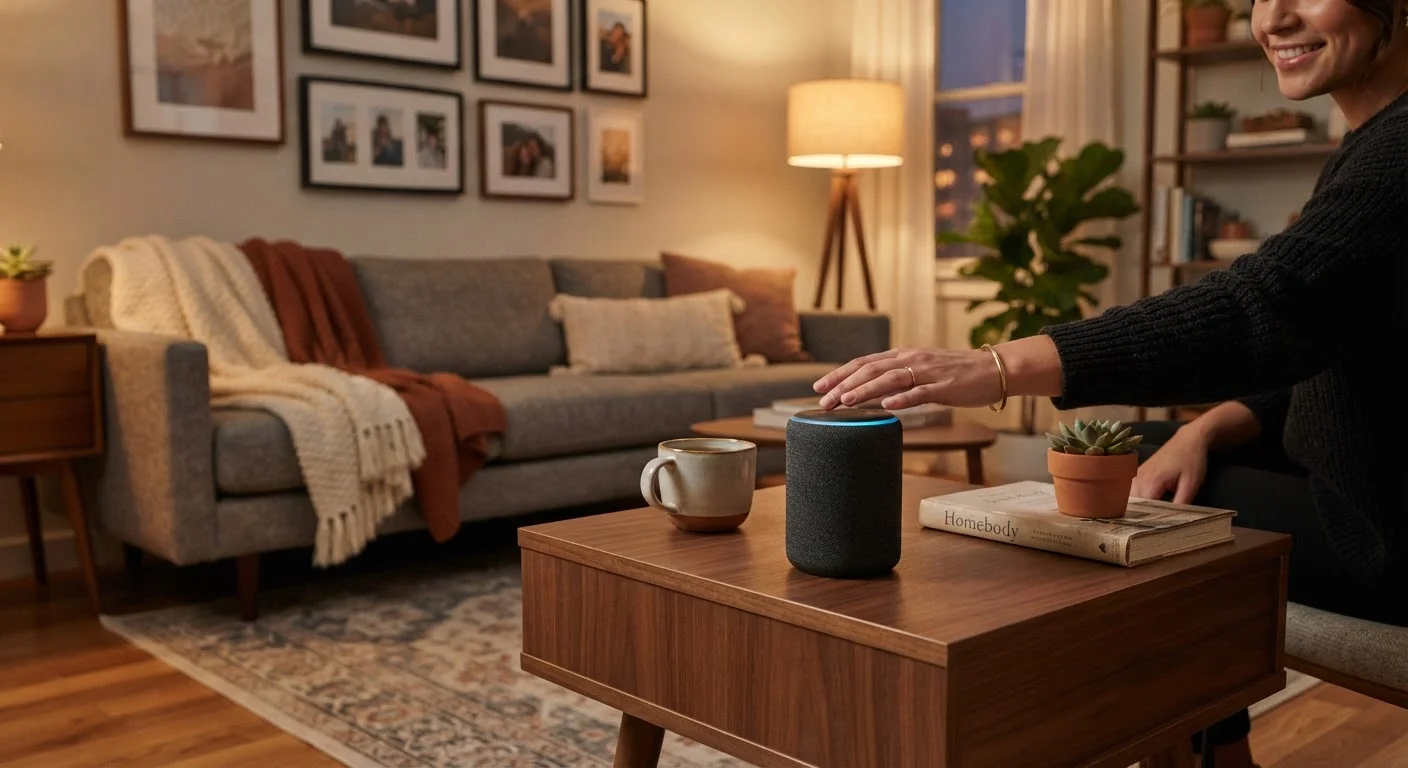
A smart speaker is a voice-controlled device that combines a wireless speaker with a built-in voice assistant — software that can answer questions, control other devices, play music, set reminders, and more. You speak to it naturally, and it responds out loud.
The physical device is straightforward: a housing with one or more microphones to hear you, a speaker to respond, and electronics to connect to your home Wi-Fi. The intelligence, however, lives in the cloud — meaning the processing happens on remote servers, not inside the device itself. This is why an internet connection is non-negotiable.
If you're already comfortable navigating a smartphone, the learning curve here is minimal. The interaction is just voice instead of touch. For a broader look at getting started with connected devices, our guide on understanding smartphones for first-time owners covers the same foundational thinking applied to phones.
Wake word
A specific phrase (like "Hey Alexa") that activates the voice assistant. The device listens passively for this word before doing anything else.
Voice assistant
Software that interprets spoken language and carries out tasks or answers questions. It runs on remote servers, not inside the speaker itself.
Cloud processing
When your device sends data to remote computers over the internet for analysis and response, rather than handling everything locally on the device.
Smart home integration
The ability of a voice assistant to communicate with and control other compatible devices in your home, such as smart lights or thermostats.
Companion app
A smartphone application provided by the manufacturer that lets you configure, customize, and manage your smart speaker's settings and connected services.
How Voice Assistants Understand You
The process behind a voice assistant feels instant, but several steps happen in under a second. Here's what's actually happening when you speak to a smart speaker:
- Wake word detection: The device listens passively for a specific trigger phrase (such as "Hey Alexa" or "OK Google"). Only after detecting this phrase does it begin recording your spoken request.
- Audio upload: The recording is compressed and sent over the internet to the manufacturer's servers.
- Speech-to-text conversion: Servers transcribe your spoken words into text.
- Intent recognition: Software analyzes the text to determine what you're asking for — a weather update, a timer, a song, or a smart home command.
- Response delivery: The answer is sent back to your speaker, which plays it aloud within moments.
The whole loop completes in one to three seconds under normal conditions. Slower internet speeds or heavy network traffic can add noticeable delays.
Speak Naturally for Better Results
You don't need to use rigid command phrases. Voice assistants are built to handle conversational language, so saying "What's the weather going to be like this afternoon?" works just as well as "Weather today." If the assistant mishears you, rephrase rather than repeat — a slightly different wording often gets a better result.
Setting Up Your Smart Speaker for the First Time
Setup is designed for non-technical users and usually takes under fifteen minutes. The general process looks like this:
- Download the companion app on your smartphone — each manufacturer has its own (such as Amazon Alexa, Google Home, or Apple Home).
- Plug in the speaker and wait for the indicator light or audio prompt signaling it's ready to pair.
- Open the app and follow the on-screen instructions to connect the speaker to your Wi-Fi network.
- Sign in or create an account with the manufacturer — this ties the device to your preferences and services.
- Complete voice training if prompted — some assistants ask you to say a few phrases so they can better recognize your voice.
Place the speaker in a central location away from walls, TVs, or appliances that generate background noise. Kitchens and living rooms are common starting spots. Avoid placing it directly next to windows facing street noise.
Wi-Fi Band Compatibility
Many smart speakers connect only to 2.4 GHz Wi-Fi networks, not the faster 5 GHz band. Most modern home routers broadcast both. If setup fails, check that your phone is temporarily connected to the 2.4 GHz network during pairing — the speaker's setup instructions will specify if this is required.
What You Can (and Can't) Ask It to Do
Voice assistants handle a wide range of everyday tasks reliably. Common and useful examples include:
- Setting timers and alarms by voice
- Playing music, podcasts, or radio stations from linked streaming services
- Answering factual questions (weather, unit conversions, definitions, sports scores)
- Adding items to a shopping list
- Reading your calendar events or setting reminders
- Controlling compatible smart home devices — lights, thermostats, plugs
Where voice assistants fall short is equally important to understand upfront. They struggle with complex multi-step reasoning, nuanced opinions, highly local or niche information, and tasks that require visual context. They also depend entirely on connected services — if a linked app or service goes down, that function stops working.
Think of a voice assistant as a very capable but narrowly focused helper. It excels at speed and convenience for simple, repeated tasks. It is not a replacement for a web browser, a professional, or your own judgment on important decisions.
Privacy and the Listening Question
The most common concern new users have is straightforward: Is this thing always recording me? The honest answer is nuanced.
Smart speakers do continuously monitor audio — but only to detect the wake word. Before the wake word triggers, audio is not transmitted to external servers in normal operation. Once triggered, a short clip is recorded and sent for processing. Manufacturers retain these recordings for varying periods; most provide settings in their apps to review and delete them.
Practical steps you can take to manage privacy:
- Use the mute button: Every major smart speaker includes a hardware mute that physically disconnects the microphone — no software can override it.
- Review your voice history: The companion app lets you see past recorded interactions and delete them.
- Limit sensitive placement: Avoid putting smart speakers in bedrooms or spaces where highly private conversations happen regularly, if that matters to you.
No connected device eliminates privacy considerations entirely. Understanding the trade-offs — convenience in exchange for some data sharing — helps you make a setup that you're comfortable with from the start.
Children and Voice Assistants
Smart speakers respond to any voice that says the wake word — including children's voices. Without parental controls enabled, a child could make purchases, access content, or interact with services without restriction. Most platforms offer explicit parental controls and purchase PIN settings in the companion app; configure these before placing a speaker in a shared family space.
Frequently Asked Questions
Yes, in most cases. Setup requires downloading the manufacturer's companion app on a smartphone or tablet to connect the device to your Wi-Fi network and account. After initial setup, you can use the speaker without the phone nearby.
No — smart speakers rely on cloud servers to process voice commands. Without an active internet connection, the device cannot understand or respond to requests. A stable Wi-Fi connection is essential for normal use.
Smart speakers continuously monitor for their wake word, but they are not designed to record or transmit audio until that word is detected. Most devices include a physical mute button that disables the microphone entirely when privacy is a concern.
The assistant will either attempt an answer based on what it heard or let you know it didn't understand. You can simply repeat or rephrase your request — there's no penalty for errors, and the devices are designed to handle natural, casual speech.
Yes. Most smart speakers support multiple voice profiles, allowing different household members to link their own accounts. This lets each person access their individual calendar, music preferences, or shopping lists separately.
A smart speaker is audio-only — it responds through sound. A smart display adds a touchscreen, so it can show weather forecasts, recipe steps, video calls, and more. Both use the same underlying voice assistant technology.
The content on this site is for informational purposes only and is not a substitute for professional advice. Always consult a qualified professional for guidance specific to your situation.