

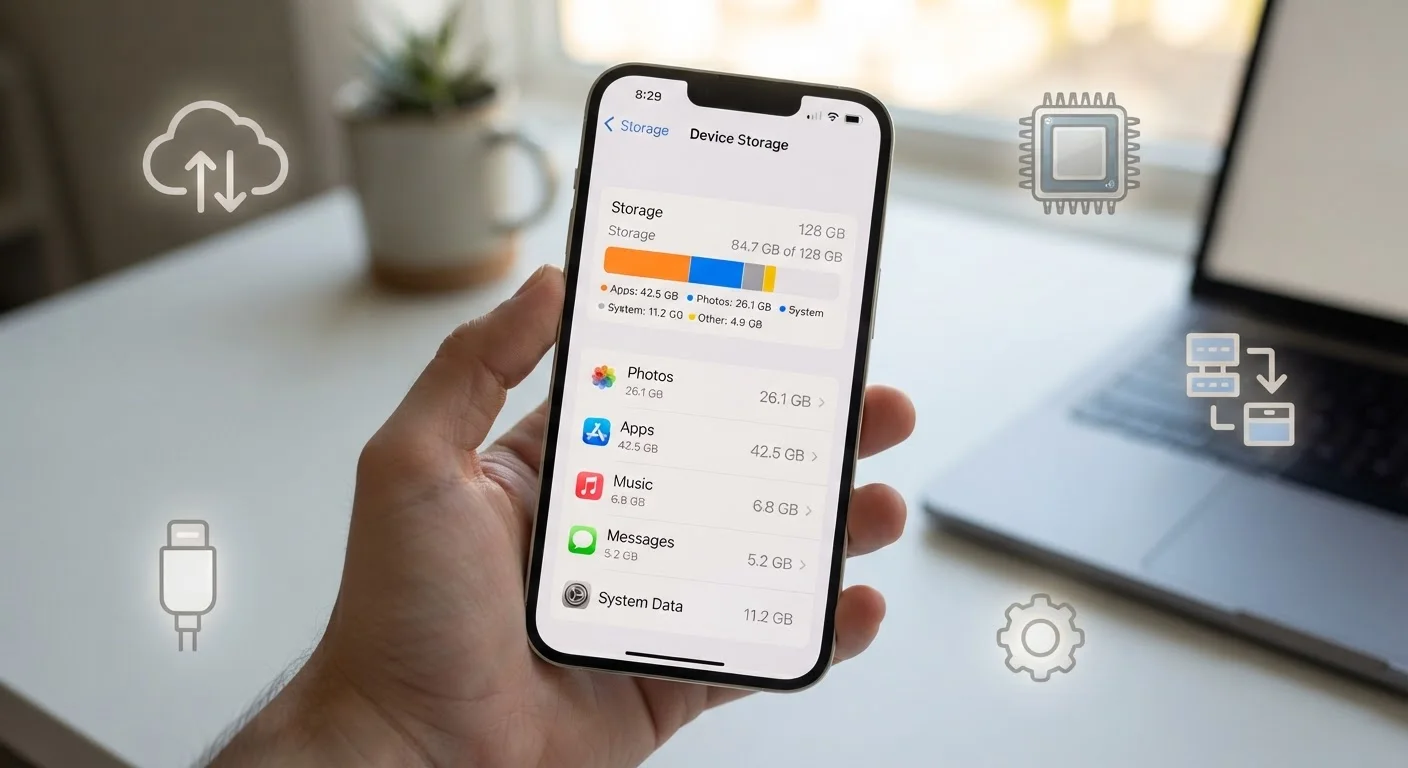
Three Different Things, One Confusing Label
When you shop for a smartphone, you see numbers like "8 GB RAM" and "256 GB" listed side by side — and they're easy to blur together. In practice, these refer to completely different kinds of storage doing completely different jobs. Add cloud storage into the mix and it's no wonder people feel confused.
Here's the simplest way to think about it: RAM is your phone's short-term working memory, internal storage is its filing cabinet, and cloud storage is an off-site locker you access over the internet. Each one affects your experience in a distinct way. For a broader look at the vocabulary your devices throw at you, see our plain-language tech glossary.
| What RAM stores | Active app data (temporary) |
| What internal storage holds | Photos, apps, files (permanent) |
| What cloud storage provides | Remote backup and sync over the internet |
| Typical smartphone RAM range | 4 GB – 16 GB (General market range as of recent years) |
| Common internal storage options | 64 GB, 128 GB, 256 GB, 512 GB |
| Cloud access requirement | Active internet connection |
RAM: Your Phone's Workspace
RAM — short for Random Access Memory — is temporary. Think of it as the surface of a desk: the more desk space you have, the more work you can spread out at once. When you open an app, it loads into RAM. When you switch to a second app, both stay in RAM so you can jump between them quickly. Close the apps or restart the phone and that data is gone — RAM wipes clean.
Low RAM doesn't mean your phone can't do things; it means it struggles to hold many things open simultaneously. A phone with limited RAM will reload apps from scratch more often, which can feel sluggish. If your phone frequently reloads apps when you switch between them, RAM is usually the explanation — not a broken phone.
RAM (Random Access Memory)
Temporary, fast-access memory your phone uses to run apps and processes right now. When you close an app, its data is cleared from RAM. More RAM generally means smoother multitasking.
ROM / Internal Storage
The permanent built-in space on your phone where your apps, photos, videos, and files are saved long-term. Often labeled as '128GB' or '256GB' in phone specs. Unlike RAM, this data stays even when the phone is off.
Cloud Storage
Remote server space accessed over the internet where you can store and sync files, photos, and backups. Your data lives on someone else's servers and is accessible from any device with your login.
Cache
Temporary data an app saves to load faster next time — like a website storing images so pages open quicker. Cache uses internal storage space and can be cleared without losing important data.
Multitasking
Running or switching between multiple apps at once. RAM is the resource that makes this feel fast or sluggish on your phone.
Internal Storage: Your Phone's Filing Cabinet
Internal storage — sometimes called ROM in older spec sheets, though the term is technically outdated — is where everything permanent lives: your apps, photos, videos, music, documents, and the operating system itself. Unlike RAM, this data survives a power-off.
Why Your '128 GB' Phone Shows Less Free Space
Phone manufacturers advertise total internal storage, but a portion is already used by the operating system and pre-installed apps before you turn it on for the first time. A 128 GB phone may show only 100–110 GB of usable space out of the box. This is normal and expected across all platforms.
When internal storage fills up, your phone will warn you — and performance can actually degrade, because the system needs free space to create temporary files while it works. Keeping at least 10–15% of your storage free is a reasonable general habit. If you're already running low, see our guide on where storage actually goes for practical ways to reclaim space.
Internal storage capacity cannot be upgraded after purchase on most modern smartphones, so it pays to think ahead when choosing a device. For a practical look at how storage choices affect everyday use, our smartphone trade-offs article is a useful companion read.
Cloud Storage: Off-Site and Internet-Dependent
Cloud storage keeps your files on remote servers run by a third-party service. Photos, documents, and backups sync there automatically (if you configure them to), and you can access them from any device where you're signed in. The practical benefit: files stored only in the cloud don't consume your phone's internal storage.
The trade-off is connectivity. Cloud files require an internet connection to access in real time. In areas with poor signal — or when you're traveling internationally — cloud-only files may be unavailable or slow to load. For a deeper comparison of how cloud and local backup each protect you, our backup trade-offs guide walks through the key differences.
Most phones let you choose which content syncs automatically — photos are the most common default. Reviewing these settings is worthwhile, especially if mobile data costs are a concern. Good storage habits also contribute to long-term phone health; our guide on keeping your phone running well covers that broader picture.
~20 GB
OS and pre-installed apps typically consume
The operating system and built-in apps routinely occupy 15–25 GB of advertised internal storage before you add anything.
4–8 GB
RAM in most mid-range phones today
Most mid-range smartphones ship with 4 to 8 GB of RAM, which handles everyday tasks and moderate multitasking comfortably.
The content on this site is for informational purposes only and is not a substitute for professional advice. Always consult a qualified professional for guidance specific to your situation.